Overview
A demonstration of how to register for a Real Estate Course/Exam at Fleming College
Directions
1. There are two methods to register for a course/exam. If you received a link to the form via email then click the link and start at step 4. If you do not have the link, please start from step two.
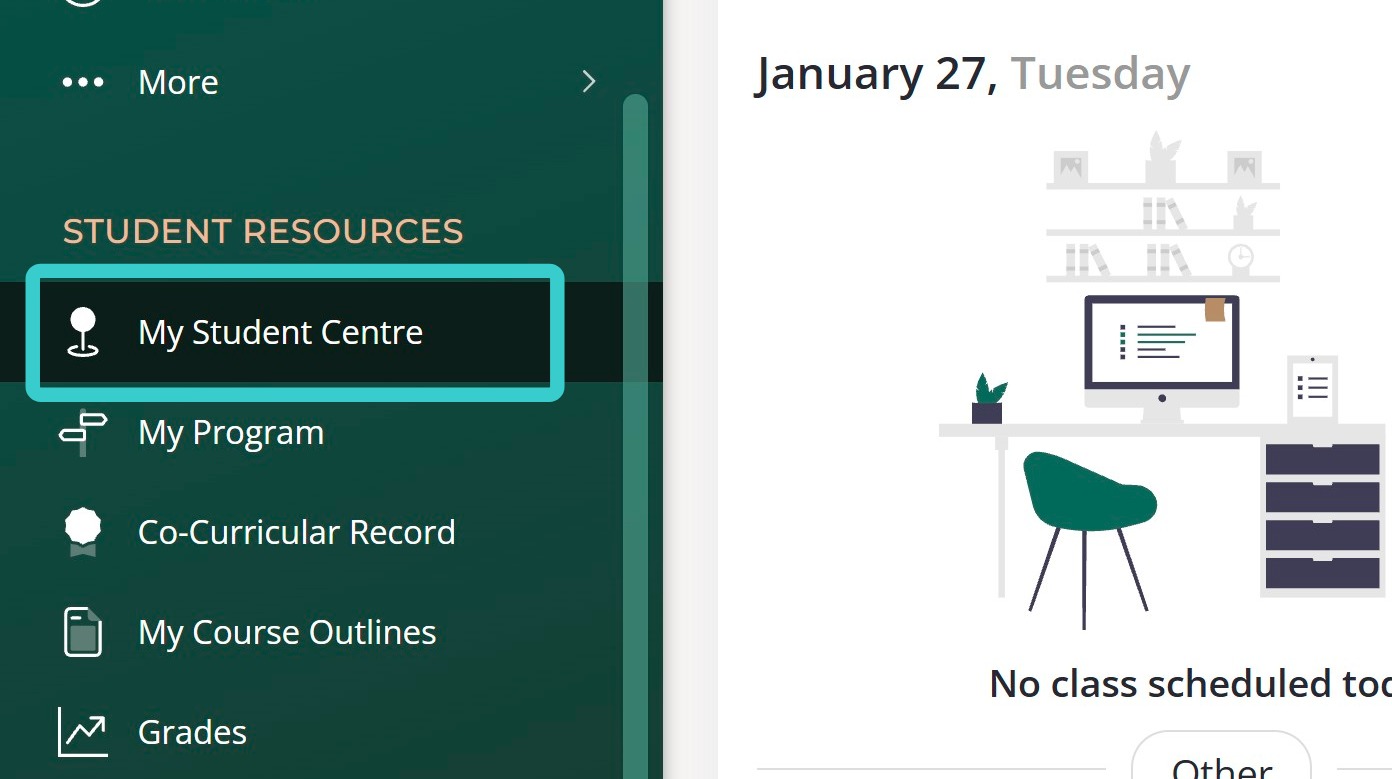
2. Log into Fleming myCampus, on the left hand side menu click "My Student Centre".
3. You should be redirected to a new page (ensure pop-ups are allowed). On the right side you will see a button entitled "RECO Signup" click this.
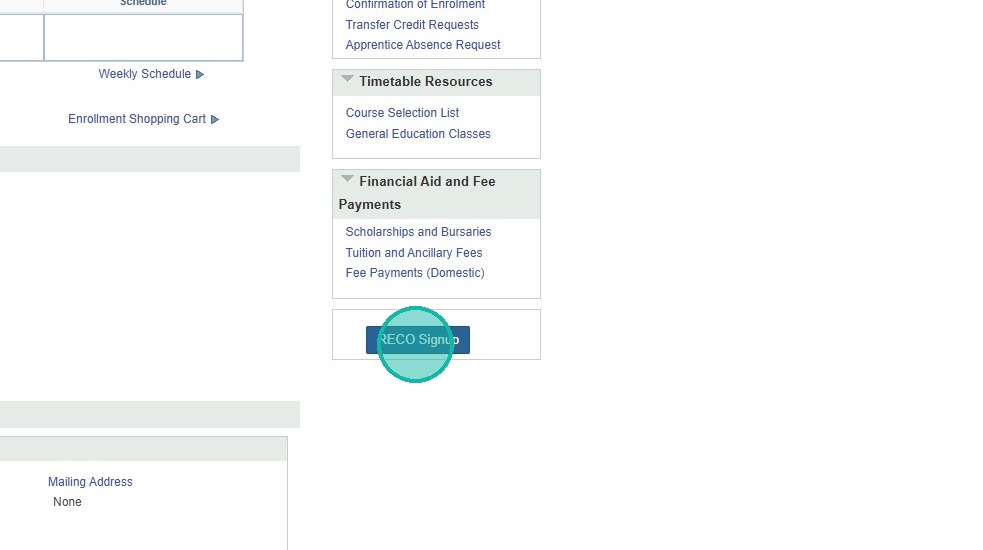
Alert! Do not use the "Search for Classes" button, it will NOT allow enrollment in RECO programs.
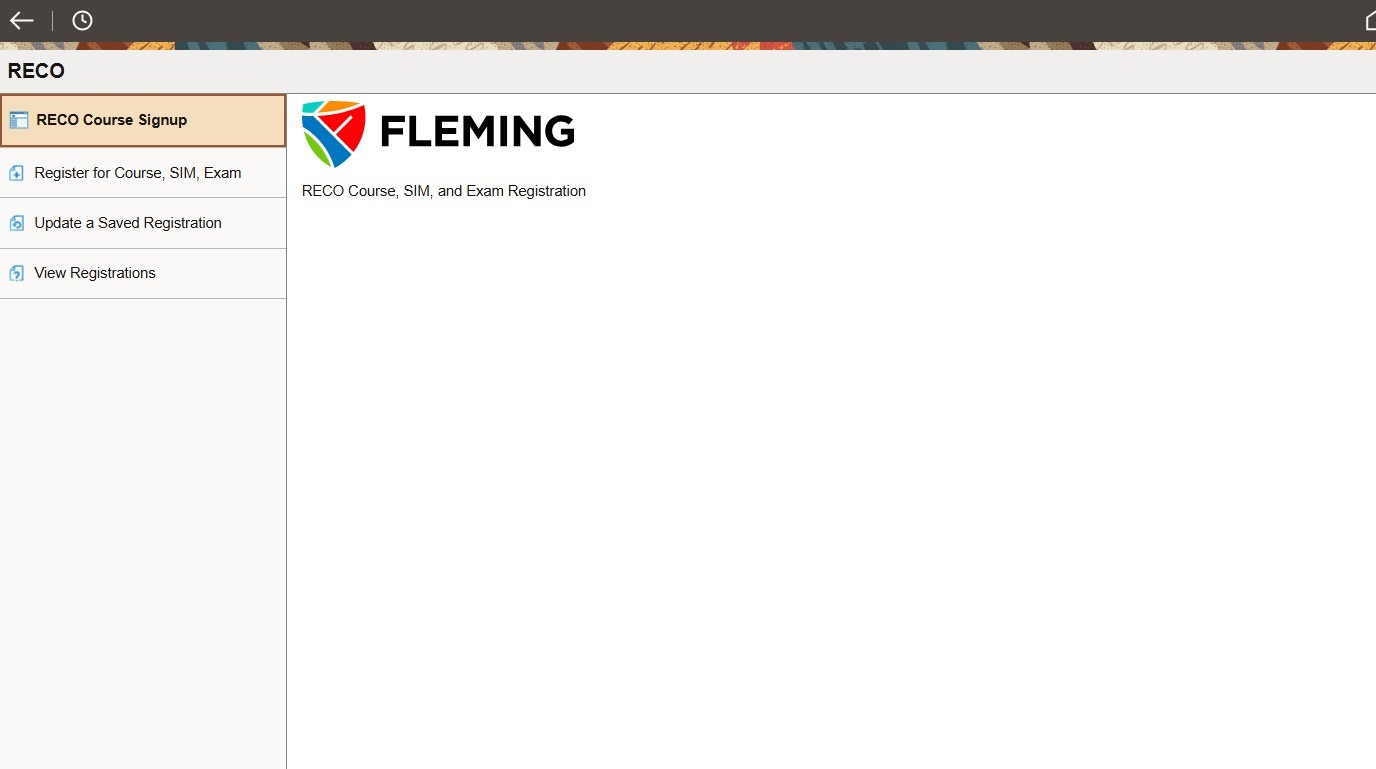
4. You will land on a blank landing page.
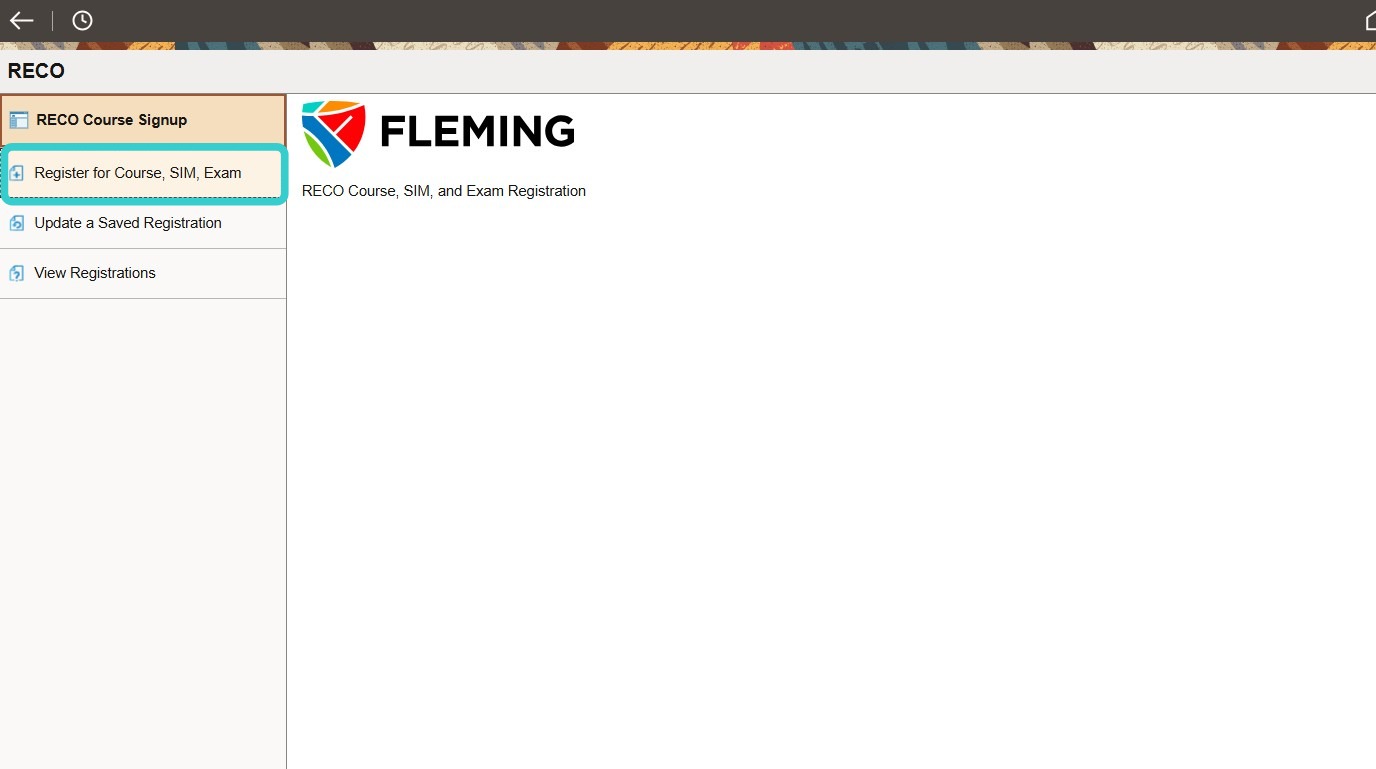
5. Click "Register for Course, SIM, Exam"
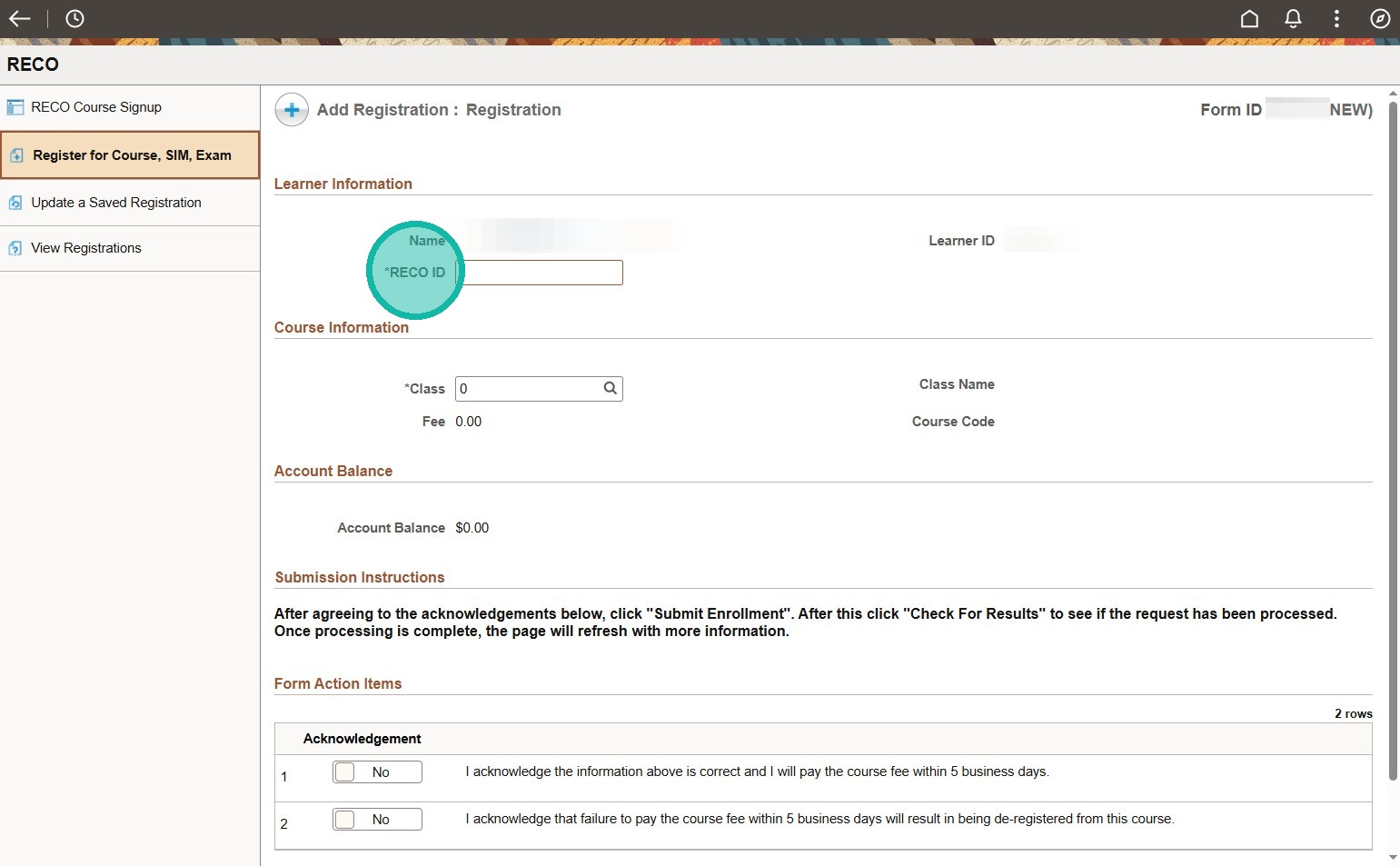
6. You will need to enter your RECO ID. It can be found in your acceptance email in the top right hand corner.
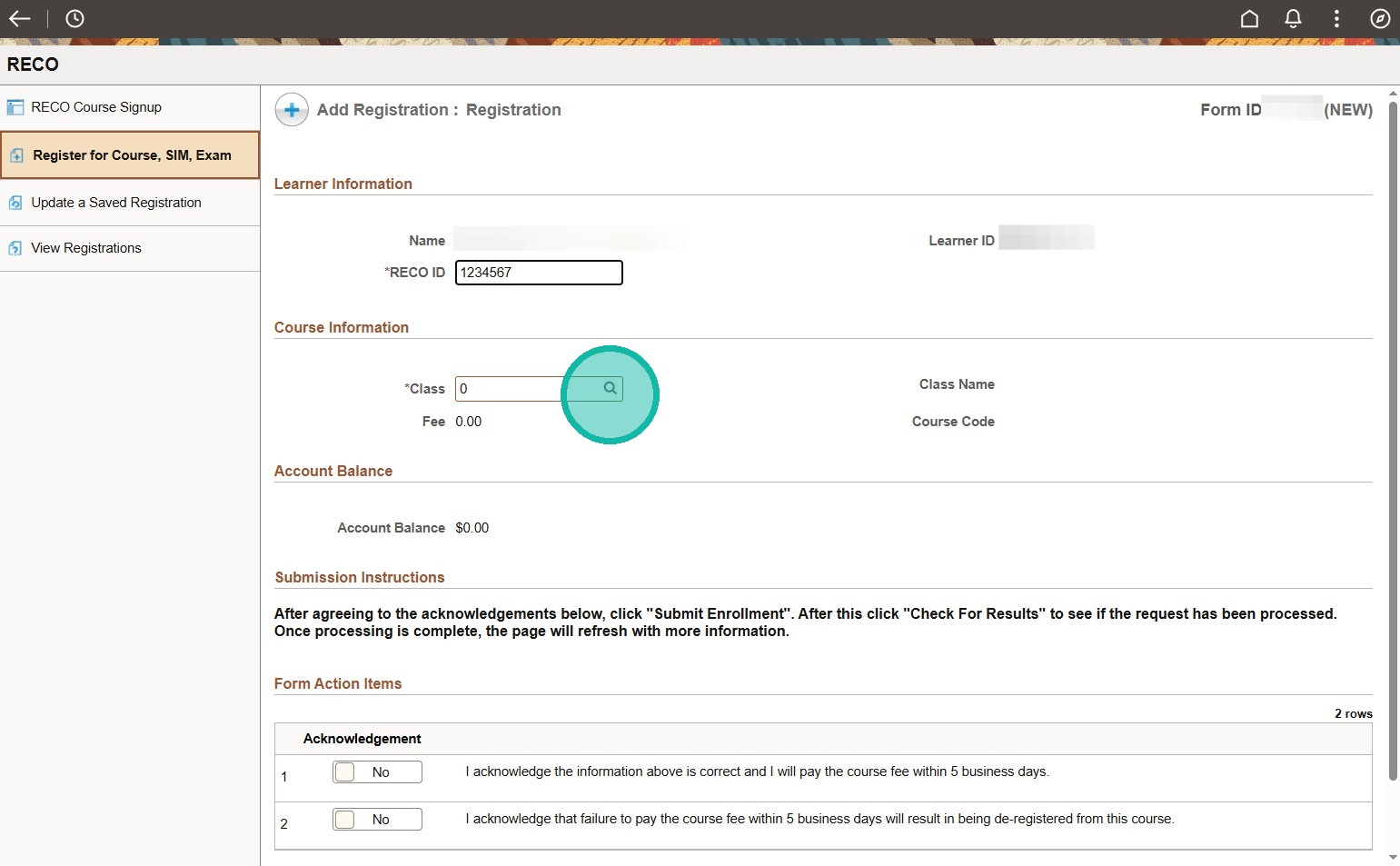
7. Click magnifying glass icon.
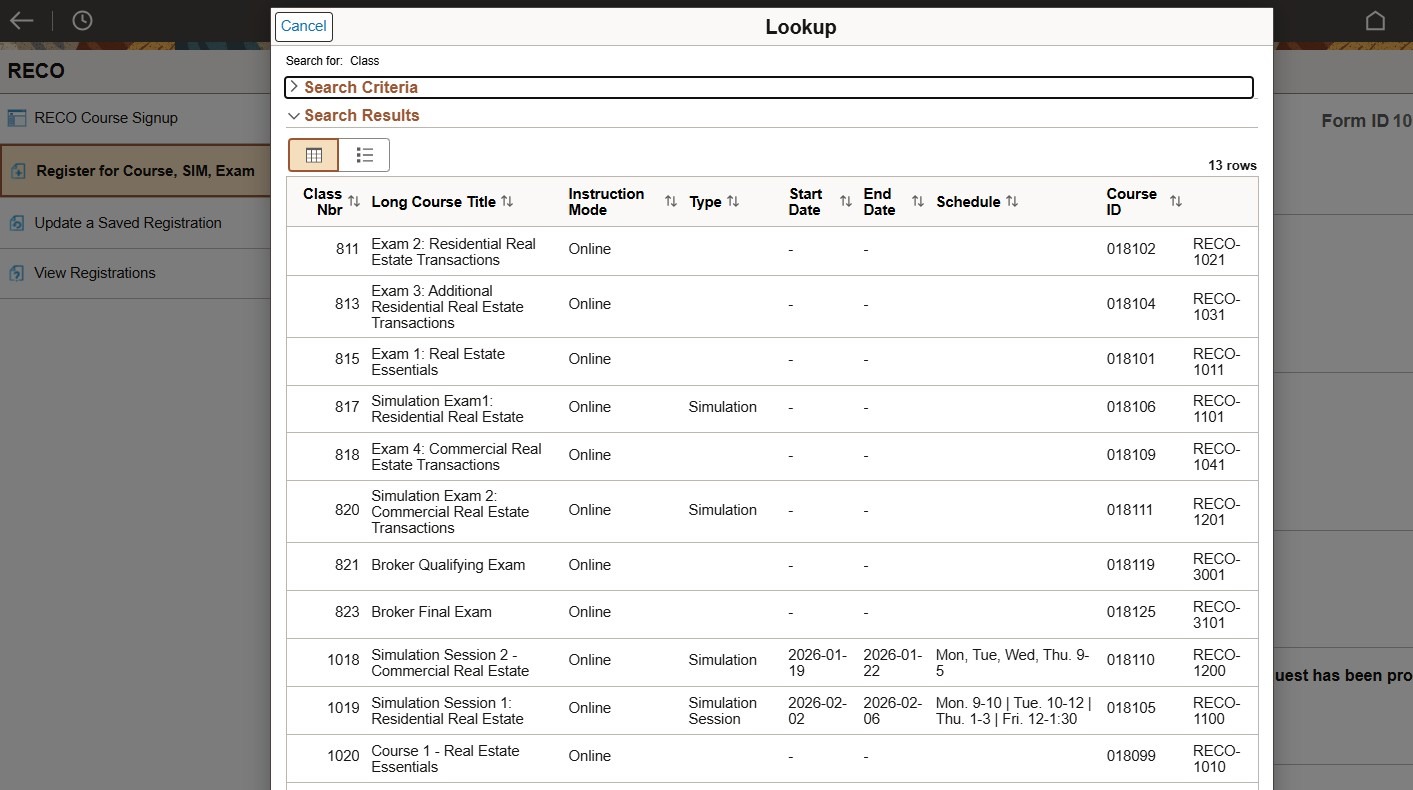
8. A list will populate of all RECO courses we offer, you can scroll through and select the course or enter search criteria.
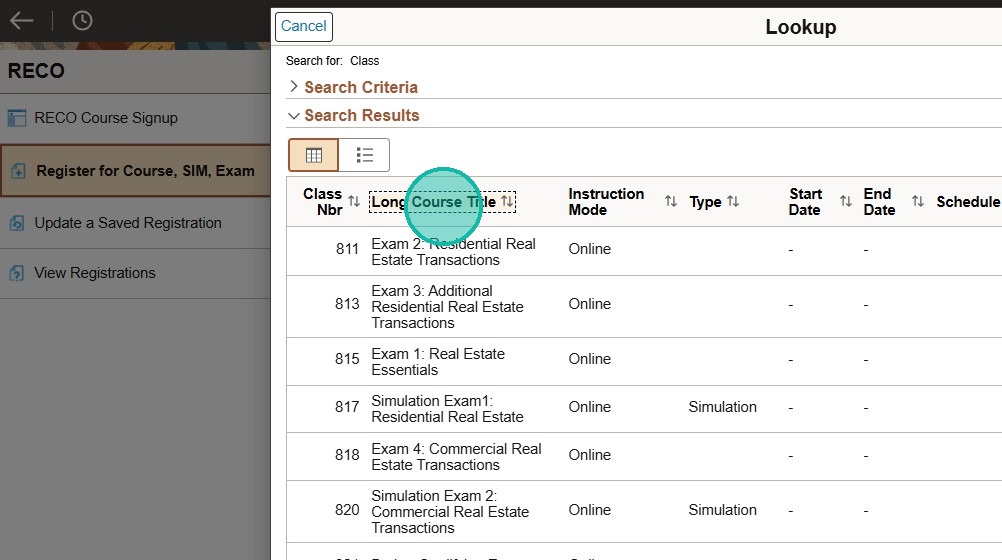
9. You can sort by the various column titles, please ignore the Class Nbr and Couse ID fields.
10. To perform a search, click "Search Criteria"
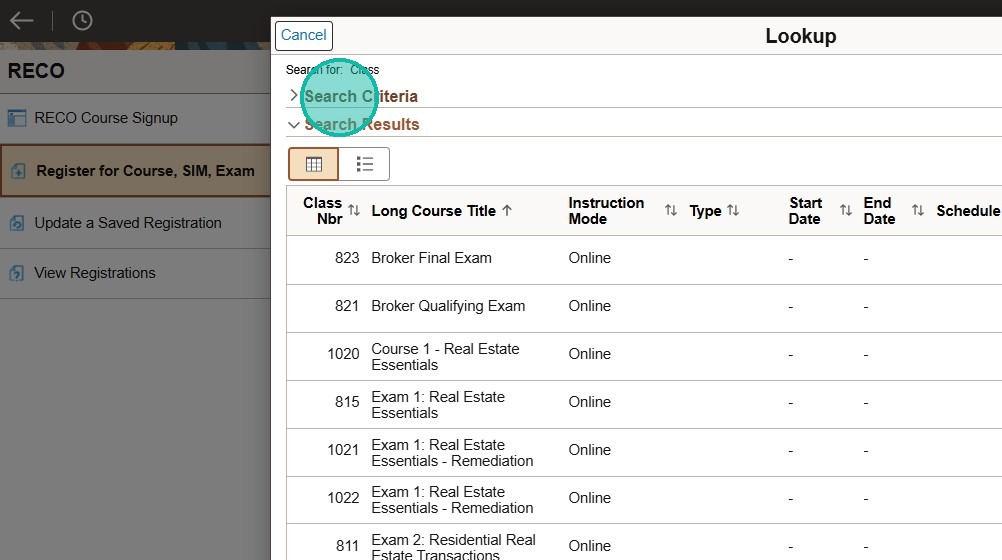
11. We recommend using the "Long Course Title" field to search. In this field you can search for the title of a course i.e. Course 1, Course 2
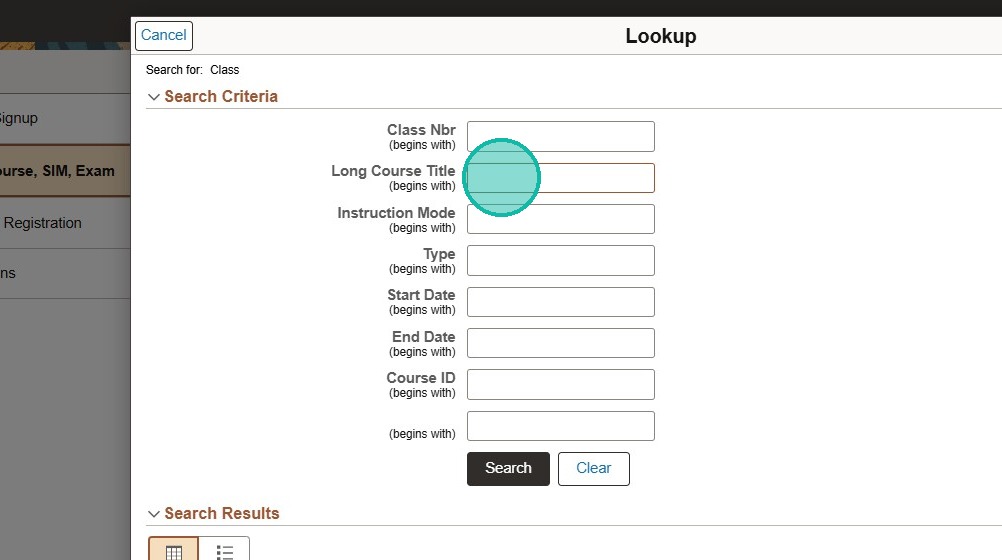
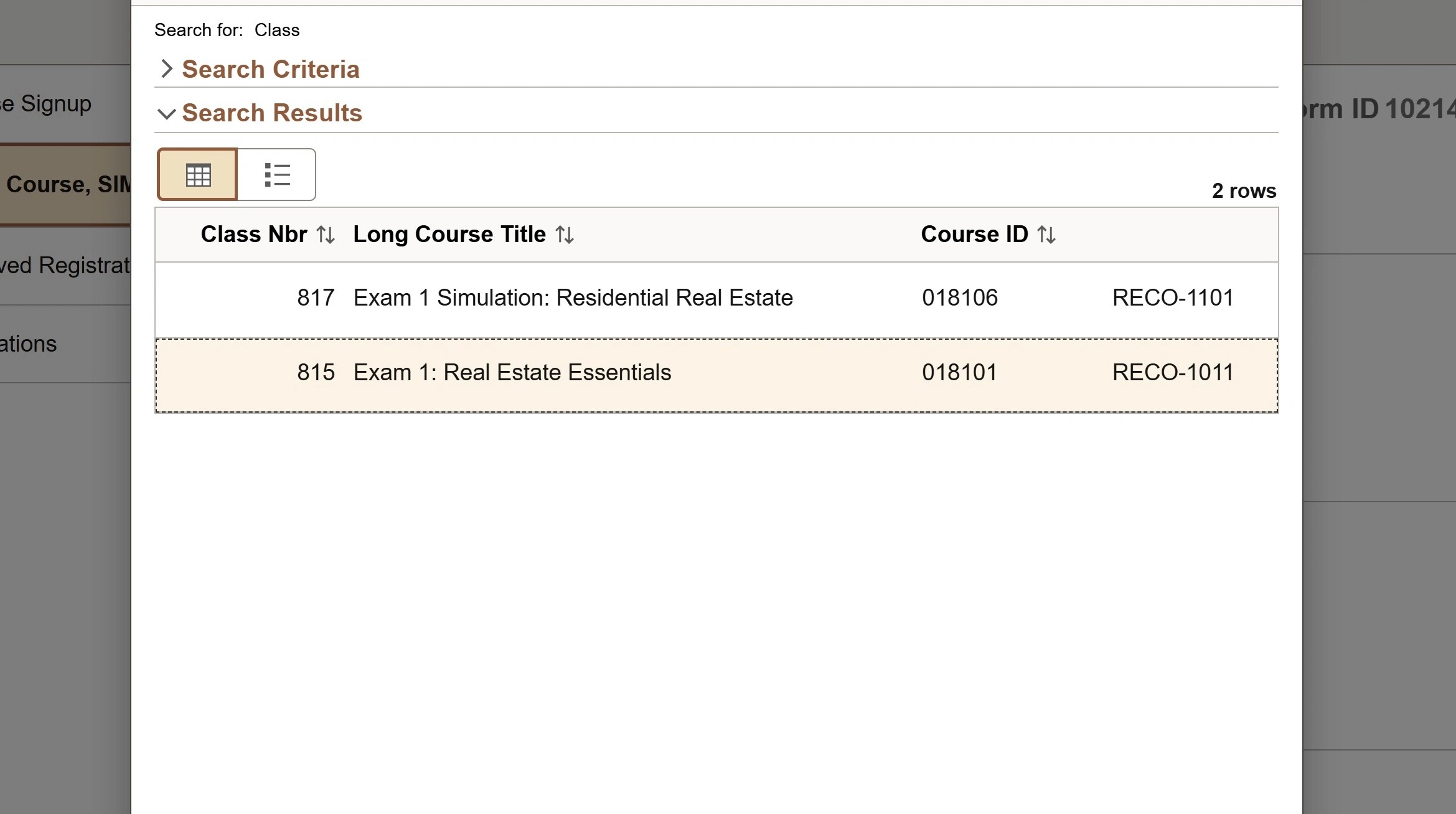
12. The results will populate and you can select the correct course/exam.
13. You will now see the course loaded into the form.
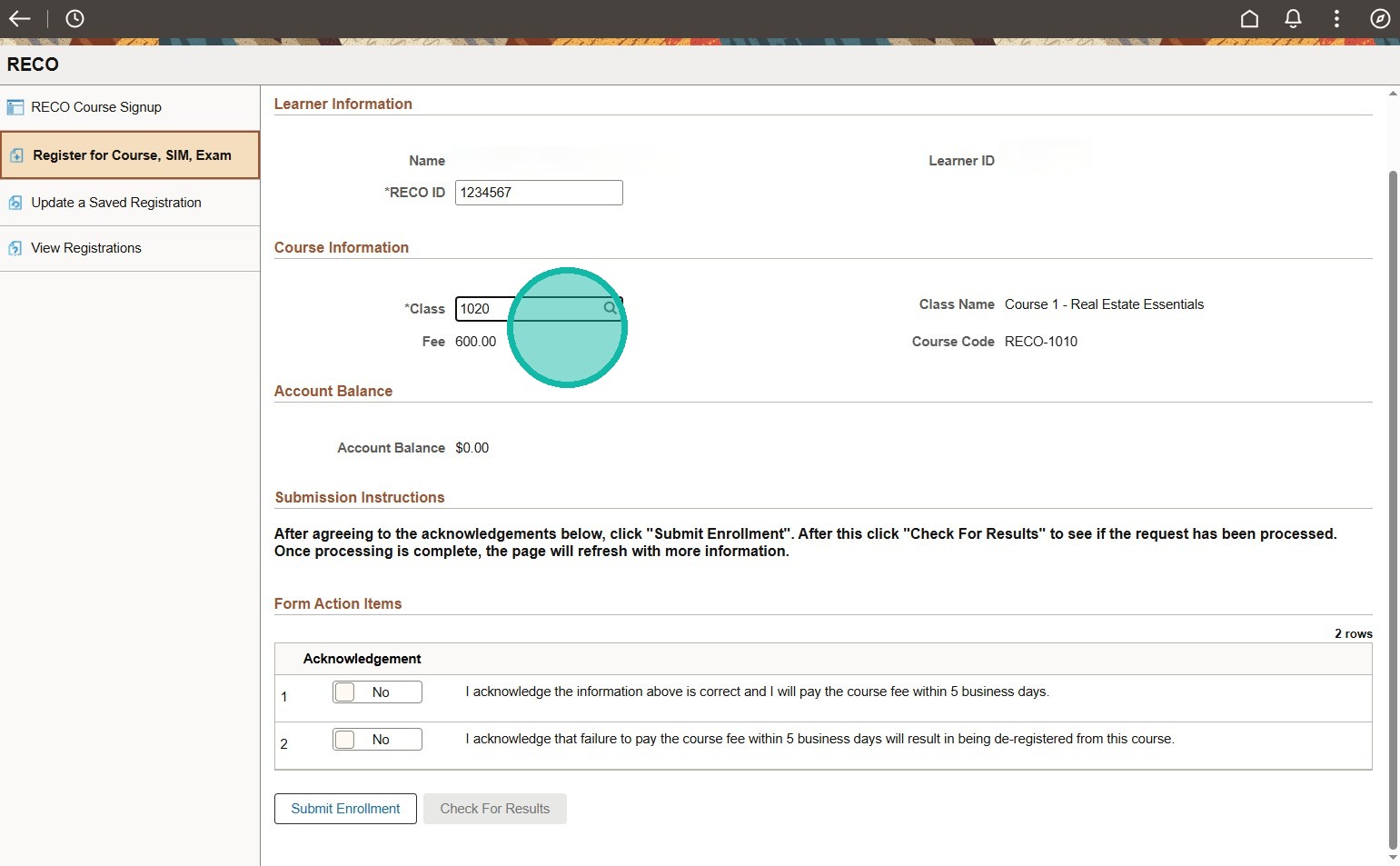
14. Click off both acknowledgements and press submit, it may take a few moments to process. When you check for results it will advise if it was successful or not.
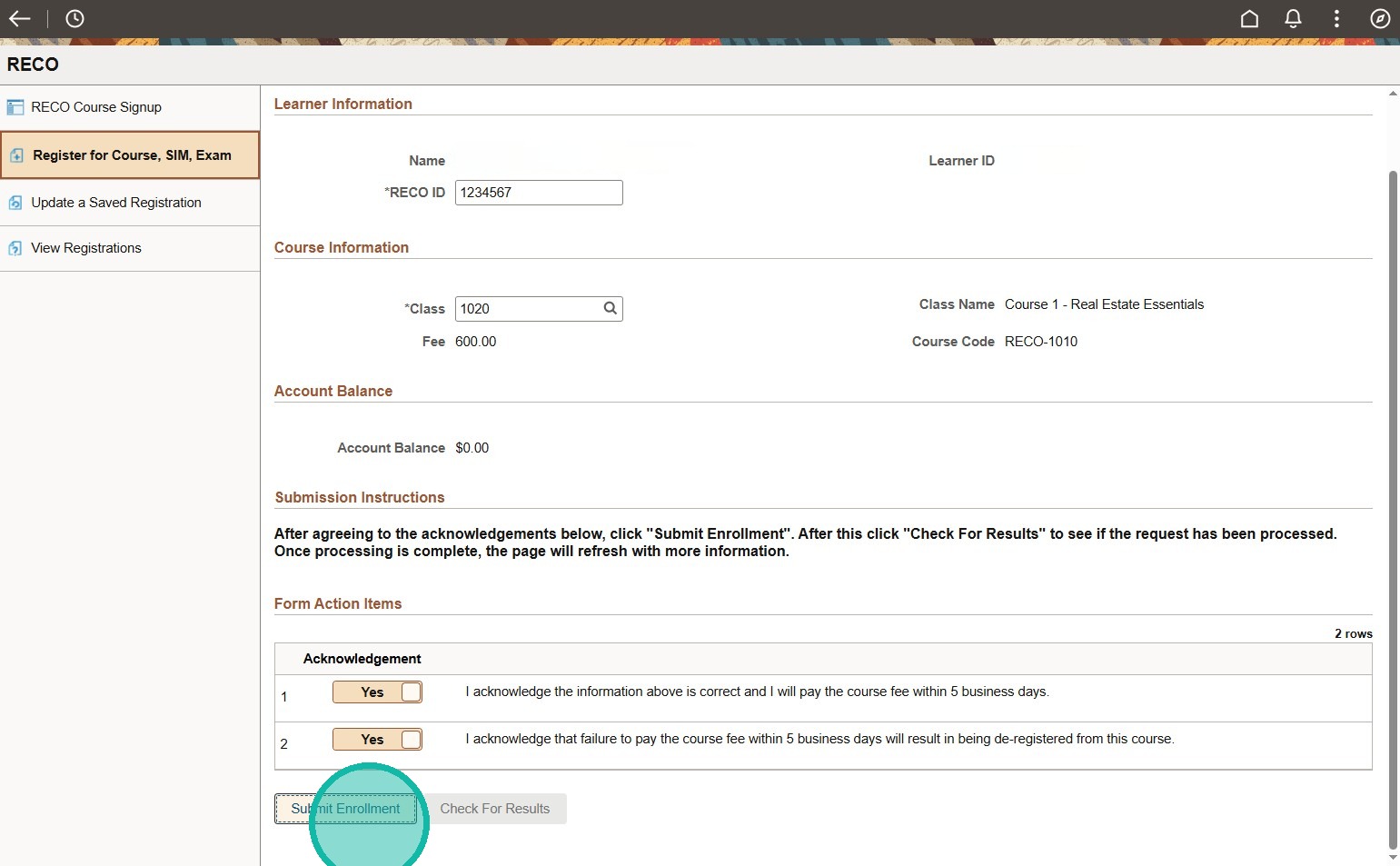
15. If you are not able to enroll in a course/exam, please ensure you have completed the prior course/exam and allow up to 24 hours for the system to update before you can enroll in the next course/exam.
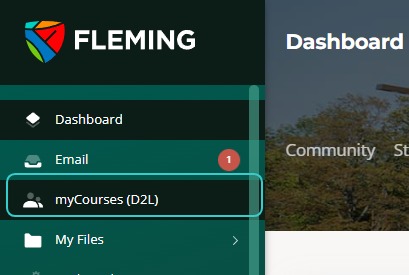
16. If you registered for a course: you will need to go back out to MyCampus and you will see "myCourses (D2L)" please note it can take up to 24 hours to gain access to a course, it is not instant.
17. If you registered for an exam: go back to MyCampus and under "Student Resources" click "More" then click "Meazure", you will then be redirected. Please select and log into Fleming College, then you can complete steps to book.